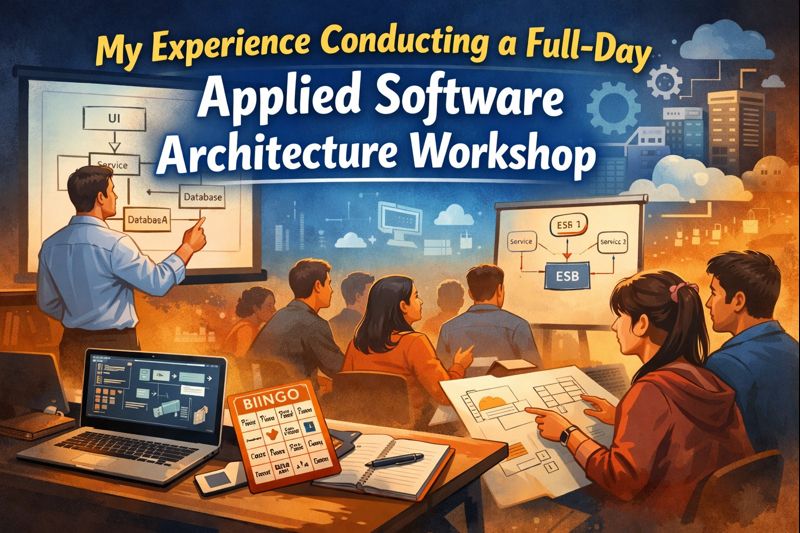
My Experience Conducting a Full-Day Applied Software Architecture Workshop
I have recently been invited to conduct a workshop for a group of final-year BSc Computer Engineering students on Introduction to Applied Software Architecture. I have experience conducting such sessions for several years, but this was my first time running a full physical workshop.
All my previous workshops were short online sessions (1-2 hours) where I would share my screen and go through slides or demos. So having a full-day (5 hour) on-site workshop was a new experience for me. Conducting it also opened up new possibilities to deliver knowledge more effectively, so I tried a few novel approaches that day.
This post is about sharing my experience, what I tried and what I learned from this workshop.
Preparation and Planning Ahead
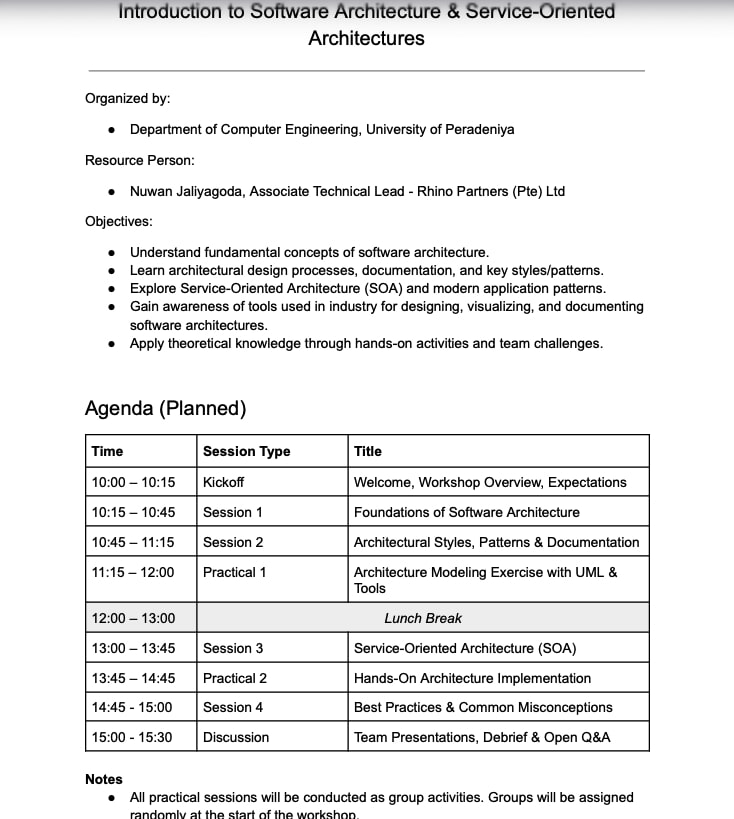
Proper planning was key to making this workshop effective. I spent about a week preparing a detailed session plan and agenda, which included all the topics to cover, activities, and resources. I set up a Google Drive folder with all the workshop resources (slides, examples, etc.) and shared it with the participants in advance through the workshop coordinator. This allowed the students to preview materials and come prepared.
I structured the day into four theory sessions and two group activities. Having a clear agenda helped me allocate time for each segment and ensure a good balance between lectures and interactive work. Planning ahead also gave me confidence that we could cover everything important in the allotted time.
Kicking Off the Workshop
On the day of the workshop, I made it a point to arrive at the Faculty of Engineering about half an hour before the start time. I was first welcomed by the instructor in charge, Miss Sethma, and the lecturer in charge of the module, Mr. Bishwajith. They even introduced me to the current Head of Department, Dr. Asitha, with whom I had a quick chat before we began. This warm welcome helped set a friendly tone right from the start.
We then headed to the workshop venue, Drawing Office II, which is a large hall that can accommodate 300+ people. Our group was only 75 students, so we only needed about a quarter of the hall. This actually worked out well, as the students could sit closer together and closer to me, making it easier to interact. While I was setting up my laptop with the dual projector screen, Dr. Asitha gave a quick introduction about me to the class to officially kick off the session.
At the very beginning of the workshop, the most important task was to gain the trust and attention of the audience. To achieve this, I included a single slide right after my title slide that introduced who I am. I talked a bit about my background, my industry experience, and why I was qualified to conduct this session. This helped establish credibility and rapport with the students. Once they knew my expertise and that I was genuinely excited to teach them, they were more attentive and engaged from the get-go.
Morning Sessions: Theory and an Active Listening Game
I scheduled all the heavy theory parts in the morning because that’s when students have the freshest minds. We dedicated the morning to two theory-focused sessions:
-
Session 1: Introduction to Software Architecture – We discussed what software architecture is, why it’s needed, and the key areas it covers. I introduced some basics of common architectural patterns as well. This session lasted about an hour.
-
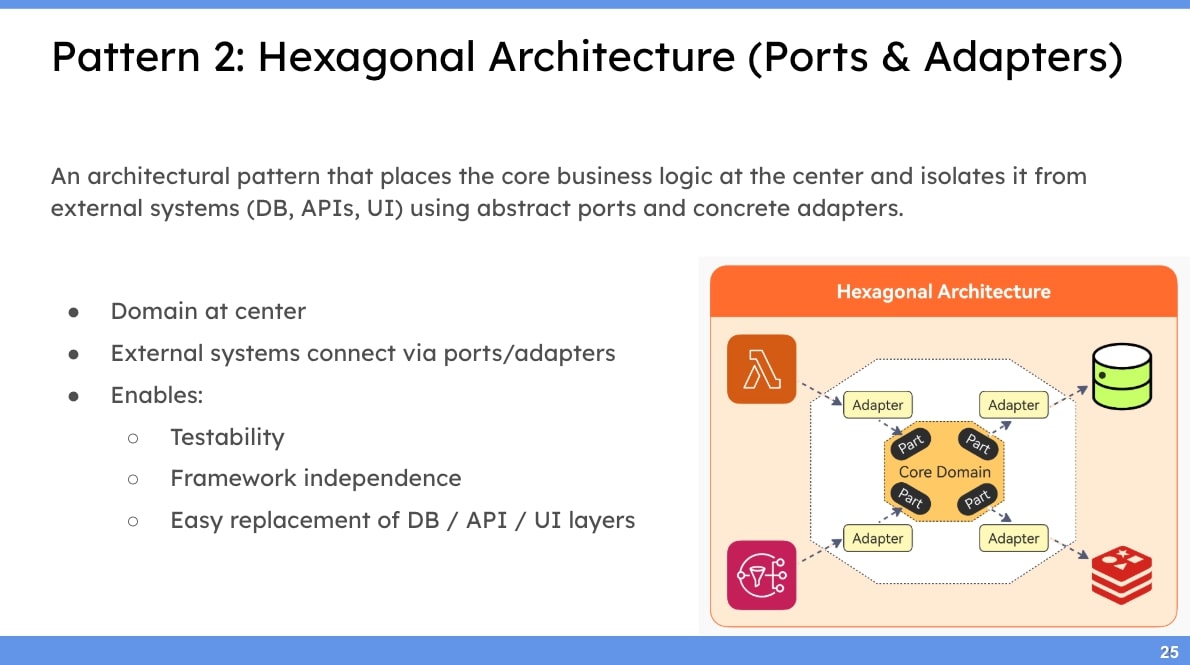
Session 2: Architectural Patterns, Diagrams, and Documentation – Here we went deeper into common architecture patterns and also covered how to represent architectures using UML diagrams. I introduced the concept of an ADR (Architectural Decision Record) for documenting decisions. To keep it practical, I showed a few real architectural diagrams from actual software projects as case studies (thanks to my team at CaterCare Australia for permitting me to share those!). Seeing real-life examples helped students connect theory with practice.
Throughout these morning lectures, I tried to keep the students actively listening rather than passively taking notes. One novel thing I did was incorporate a Bingo game to encourage active listening. Before the workshop, I prepared Bingo cards for each student – a 5x5 grid with 24 words (the center cell was left blank). Some of the words were relevant to the workshop content, some related to computer engineering generally, and a few were random decoy words with no relevance. The rules were simple: as I went through the slides and explained concepts, students would listen for those words and mark them on their Bingo sheets when they heard me say them.
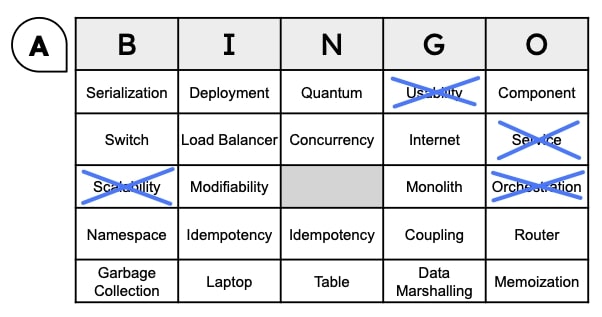
At the end of each session, I paused and checked in with them to see how many words they had caught. This little game turned out to be quite fun and effective. It kept everyone actively listening to catch the keywords, and it sparked some laughter and discussion when we reviewed the results. It was a great way to maintain energy during the lectures and make sure key terms were sinking in.
After the first session, I gave a short 5-minute break so everyone could stretch. During the break, I quickly uploaded the slides from Session 1 into the shared Google Drive folder so students could reference them later or follow along on their own devices if needed. Then we moved on to Session 2. By front-loading the theoretical content in the morning, we took advantage of the students’ fresh focus early in the day. Session 2 went well, with students particularly interested in the diagramming part. Many had not seen a real Architecture Decision Record before, so discussing an ADR example was eye-opening for them. I made sure to keep things interactive by asking questions and inviting a few students to share their thoughts or experiences (for instance, if they had seen any of these architectural patterns during internships or projects).
Group Activity Setup at Evening Session
By the time we finished the second session, it was time for lunch. Before dismissing the students, I announced the plan for the upcoming group activity so they could be prepared after the break. I had cleverly planned the group formation method in advance using the Bingo cards. Each Bingo card had a letter printed on it (A, B, C, D, E, or F). I asked the students to remember their letter and, after lunch, to form groups such that each group contained one person with each letter A through F. This was a quick way to randomize the groups and ensure a mix of students in each team.
During the lunch break (which was about an hour), I also uploaded the materials for the first practical activity to the Google Drive resource folder. The Practical 1 task I had prepared was to draw two types of diagrams (a Use Case diagram and a Component diagram) and to write a brief ADR document for a given scenario. I intentionally scheduled this hands-on exercise for right after lunch, because I know from experience that a post-lunch lecture can make students drowsy. A practical group activity is a great way to re-energize everyone after the break.
Practical Session 1: Hands-On Group Work
After lunch, the students reassembled, and as instructed, they formed their small groups of six (A through F). I distributed the practical activity instructions and explained the scenario for which they needed to create the diagrams and ADR. I gave them about 10 minutes to get settled into their groups, understand the task, and start brainstorming.
Once the groups were underway, I walked around to each group to observe and assist. This was a wonderful opportunity to engage with the students one-on-one, hear their thoughts, and clarify any questions about the morning sessions. Many groups had thoughtful questions about the scenario or the tools they could use for drawing diagrams. I encouraged them to utilize useful tools like PlantUML or Mermaid for creating the diagrams, and even suggested they try out GenAI tools if they were familiar with any, to speed up some parts of the task. For example, using text-based diagramming tools like PlantUML can save a lot of time compared to manually drawing boxes and arrows.
We let the Practical 1 activity run for about 45 minutes. By then, most groups had produced initial versions of their use case and component diagrams and jotted down some decisions for the ADR. I then asked everyone to pause. I informed them that we would have another practical session later (Practical 2) where they could continue and refine their work. This way, they didn’t feel pressured to make the first drafts perfect, knowing they’d get a second iteration.
Service-Oriented Architecture: Making Theory Relatable
With the first practical wrapped up (for now), we moved into the next theory session of the day, which was about Service-Oriented Architecture (SOA). This was the first session after lunch, so to recapture everyone’s attention, I made sure to start with a light, relatable example. I introduced the concept of a “service” by using the familiar example of our faculty canteen.
We imagined the canteen and the various services it provides (e.g. a meal ordering service, a payment service). I used this concrete scenario to explain key SOA terms and concepts. For instance, I described service contracts as the menu or ordering rules of the canteen, a service registry/discovery as a notice board where new canteen services might be advertised, and concepts like orchestration and choreography by analogy to how a canteen coordinates different counters or food stations. Starting from a real-world context made it much easier for them to grasp the abstract principles of SOA once we dove into the technical details.
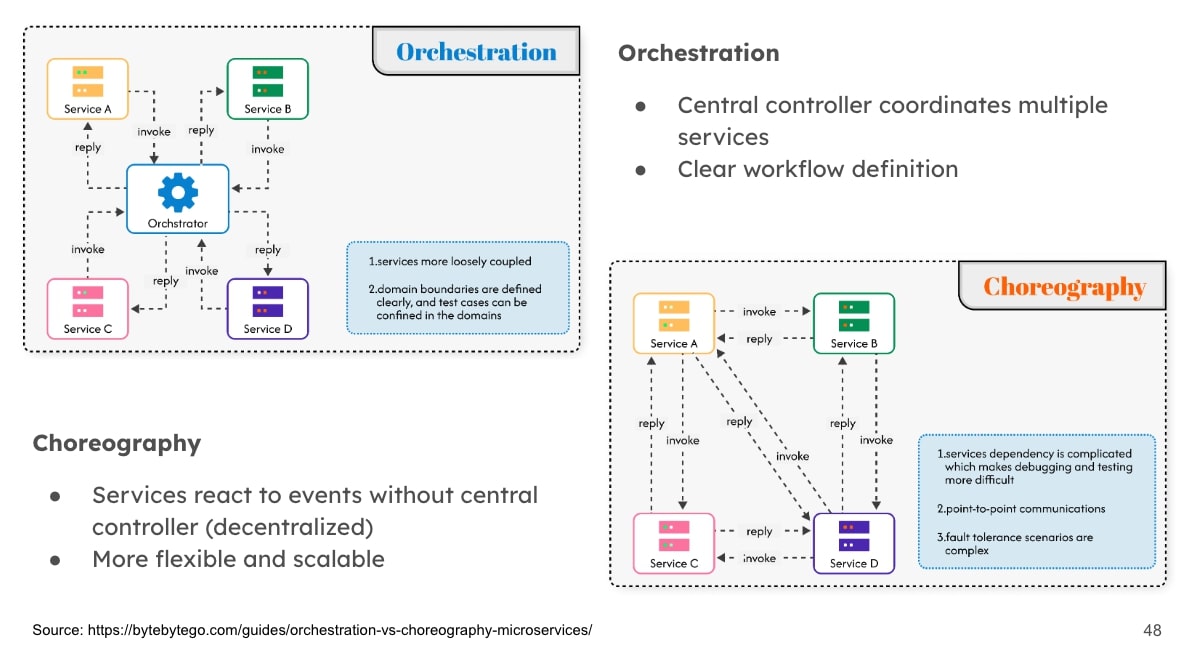
After discussing the concepts, I decided to include a small live demonstration to show service registry and discovery in action. I used a simple Python project I had prepared for this demo (GitHub: software-architecture-service-discovery-example). The code basically simulated a basic service registry where services could register and be discovered by others. As I ran the demo, I didn’t just lecture; I engaged the students by asking them questions like, “What do you think will happen if Service A tries to call Service B now?” This turned the demo into an interactive experience rather than a passive one. The students responded with their predictions, which led to a discussion when we saw the actual outcome on screen.
The demo helped solidify the concept of dynamic service discovery. However, reflecting on it afterward, I felt that I could improve this part in future sessions. It might have been better if I had prepared a couple of slides that diagrammed what the code was doing behind the scenes. Jumping straight into code can sometimes lose a few people, especially if they can’t see the bigger picture. So, a lesson for me: accompany live coding with a visual aid so it’s easier to follow.
Introducing the ESB (Enterprise Service Bus)
Next up was perhaps the most important topic of the workshop; the Service Oriented Architecture and its uses. To explain the role of an ESB (Enterprise Service Bus), I continued building on our earlier example. We took our simple canteen scenario and expanded it into a full restaurant scenario with multiple services (like order service, kitchen service, delivery service, payment service, etc.). I then explained how introducing an ESB could help these services communicate and work together more effectively, especially if we wanted to integrate with external systems (for example, a supplier inventory system or an online ordering platform).
I had a slide illustrating the strengths and limitations of using an ESB. I emphasized to the students that while ESBs can be powerful in integrating services and enabling complex enterprise workflows, they are not a silver bullet for every situation. For smaller applications or certain modern architectures (like microservices), an ESB might be overkill or even a bottleneck. It’s important to choose the right tools and patterns based on the scale and requirements of the system.
To make this session even more concrete, I prepared a live demonstration for the ESB as well. This one was a bit of a personal challenge: the night before the workshop, I discovered an open-source ESB implementation called WSO2 Micro Integrator (which conveniently comes as a VS Code extension). It was a lightweight tool, perfect for demo purposes. Even though I was new to this tool, I was excited to give it a try. I stayed up until about 2 AM on the eve of the workshop learning how to create a simple integration with it, and I set up a short demo to show the students.
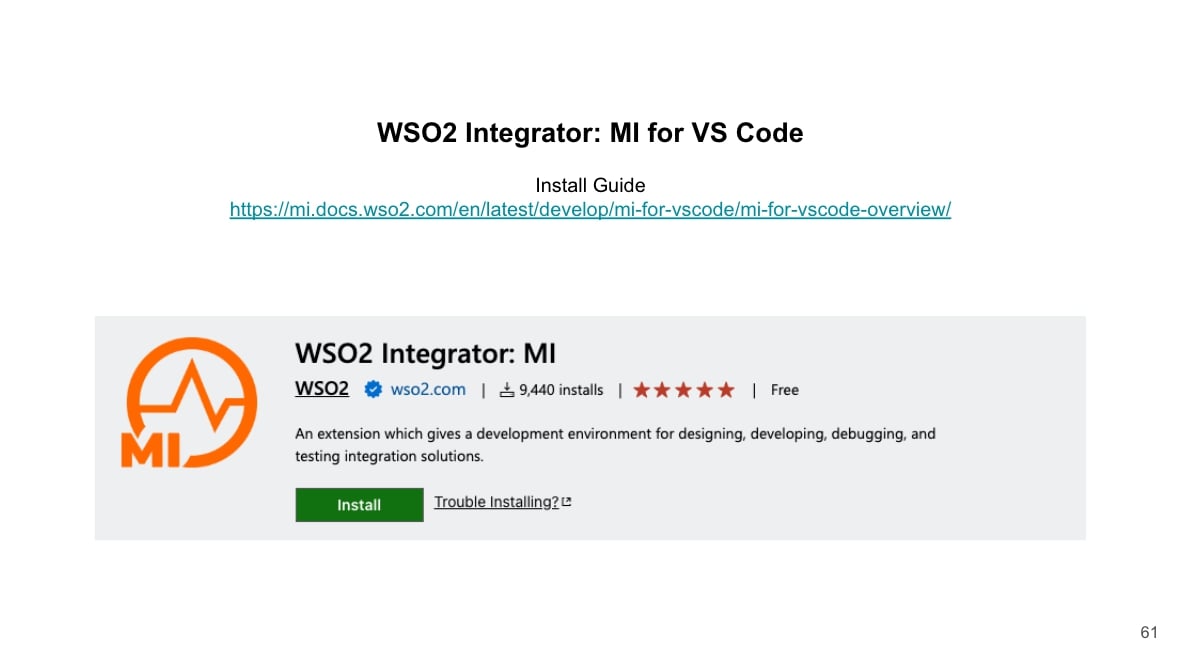
During the workshop, I explained how we could use WSO2 Micro Integrator to quickly configure a flow that connects some of the services that relevant to the Practical 1. I have to admit, doing a live demo with a tool I just learned hours before was risky and challenging, but it was also exciting and it paid off. The demo went well, and it showed the students a tangible example of how an ESB can bridge services without writing a lot of custom code. I think seeing me step a bit outside my comfort zone to try something new also made an impression on them about being a continuous learner.
By the end of the ESB session, we had covered a lot of ground: from basic architecture concepts in the morning all the way to advanced integration patterns in the afternoon. The students were keeping up well, asked some great questions, and seemed to appreciate the mix of theory and practical insight.
Practical Session 2 and Group Presentations
The final part of the day was Practical Session 2, essentially a continuation and extension of the earlier group work. The plan was for students to take the initial diagrams and ADR they started in Practical 1 and improve upon them or adapt them given the new knowledge from the afternoon sessions (such as considering services or an ESB in their architecture, if relevant to the scenario).
However, just before we kicked off the second practical, the instructor in charge (Miss Sethma) informed me that she needed to evaluate each student individually as part of their coursework grading. We decided to use the practical work as an opportunity for this evaluation. I quickly improvised a procedure: while the students were working on Practical 2, we would call up each group one by one to present what they did for Practical 1, and we would assess each student based on their contribution and understanding.
This turned out to be a great way to conduct evaluations without disrupting the flow too much. Group by group, students came up and showed the use case and component diagrams they had drawn and explained their ADR decisions. I listened to each group’s presentation and then provided feedback. I was pleased to see the diversity of designs; even though everyone had the same scenario, different teams approached the architecture in different ways.
In my feedback, I touched on a few common themes for all groups:
- I pointed out places where an ESB or a similar integration approach could simplify their design (connecting components or services with low-code/no-code solutions to avoid duplicating effort).
- I reiterated the importance of using diagramming tools effectively. I showed them how a clean diagram can communicate an idea much better than an overloaded, messy one. These are skills that are very valuable in the industry, as clear diagrams and documentation make it easier for teams to collaborate.
- We also discussed their ADR documents. I highlighted good points in their decision logs and suggested where they could improve. For instance, I encouraged them to always mention the context and reasoning behind a decision in an ADR, not just the decision itself. The evaluation was somewhat informal but effective; it was more like a coaching session for each group in front of the class. Other students also learned from listening to their peers’ presentations and the feedback given.
Unfortunately, we had to wrap up the workshop a bit earlier than scheduled. There was a flood warning due to heavy rains, and the university administration decided to release students early so they could safely return to their hostels. Because of this, I only managed to personally interact with about half of the groups for evaluations before we had to stop. It would have been great to hear from everyone, but safety came first in this situation.
We concluded the day with a quick thank-you. One of the students volunteered to give a short thank-you speech on behalf of the class, which was a kind gesture and a proud moment for me as the instructor. I then gave a brief concluding speech, summarizing what we had covered and encouraging the students to keep exploring the field of software architecture. And with that, the workshop officially ended.
Reflections and Lessons Learned
Overall, the workshop was a success and a tremendous learning experience for me as well. Being my first full-day physical workshop, I was glad that most of the things went according to plan or even better than expected. The students were engaged, and the feedback I got informally was positive. There were, however, a few hiccups and takeaways worth noting:
- Planning Pays Off: Spending time to plan the sessions, activities, and materials well in advance really paid dividends. Sharing resources early and having a clear agenda made the day run smoothly. I’ll definitely continue doing this for future sessions.
- Engagement is Key: I learned that engaging students through interactive methods (like the Bingo active listening game or live demos with Q&A) keeps energy levels high and improves learning. Rather than just lecturing, these techniques got students actively involved and thinking, which is exactly what I hoped for.
- Morning vs. Afternoon Energy: It proved effective to schedule theory-heavy content in the morning when everyone was fresh, and reserve hands-on, interactive work for the post-lunch slot. This balance helped avoid the usual after-lunch slump.
- Use Real-World Analogies: Abstract concepts like SOA or ESBs can be hard to grasp, but framing them with a familiar real-world analogy (like a canteen/restaurant) worked wonders. It’s a reminder to always connect theory to practice or everyday experiences when teaching.
- Be Flexible and Adaptive: Despite detailed planning, unexpected things can happen. I had to adapt by combining the evaluation with the second practical, and by ending early due to weather. Being flexible and thinking on your feet is part of the process. For example, I also realized mid-session that the acoustics in the hall weren’t ideal (there was a slight echo and the rain made it worse). In the future, I’ll do a sound check in a big venue and possibly use a clip-on mic or adjust audio equipment to avoid echo.
- There’s Always Room for Improvement: One thing I would improve is the way I handled the code demo. Next time, I’ll include a few explanatory slides before live coding to ensure everyone is on the same page. Also, I had a final segment planned on
- Missed Parts: “Best Practices and Common Mistakes in Software Architecture” with some myth-busting, which we had to skip due to time. I plan to share those slides or maybe record a short video for the students so they still get that content.
On a personal note, the day after the workshop (Friday the 28th) turned out to be quite dramatic. That was the day Sri Lanka faced one of the worst flood disasters in recent history. I myself had no electricity or internet for about four to five days, and many students were affected by the floods as well. Because of this, we missed the chance to formally gather feedback from the participants about the workshop. I do hope to reach out to them later to hear their thoughts once things returned to normal.
In conclusion, conducting this full-day applied software architecture workshop was an enriching experience for me. Not only did I get to share knowledge and industry insights with the next generation of engineers, but I also learned a lot about effective teaching and engagement. There’s something uniquely rewarding about an in-person workshop; the immediate interactions, the spontaneous questions, and the ability to gauge energy in the room and adjust accordingly. I’m looking forward to applying these lessons in my future teaching sessions, and I hope this recap gives you some useful ideas if you’re also looking into better ways of learning and teaching.
PS:
I have decided to share a screen recording of some part of the implementation of the Practical 2 we did during the workshop, but didn’t get a chance to have a proper conclude. In this video, I demonstrate how to address the problem statement and design a ESB to simplify the integration between various services using WSO2 Micro Integrator.